
Download Digital Thermometer – digital thermometer, room temperature, temperature measurement, ambient temperature, Celsius, Fahrenheit, Android app, free temperature tool, sensor-based measurement, real-time temperature
Overview
The Digital Thermometer is a lightweight Android application designed to provide accurate ambient temperature readings using the device’s built-in sensors. Its primary purpose is to measure the current room temperature in real time, offering users immediate access to temperature data in both Celsius and Fahrenheit. This tool is ideal for individuals seeking a simple, reliable method to monitor indoor climate conditions without relying on external hardware.
Target users include home users, office workers, and individuals concerned with environmental comfort or energy efficiency. The app is particularly useful in scenarios such as adjusting heating or cooling systems, monitoring sleeping environments, or ensuring optimal conditions for sensitive equipment. By leveraging the phone’s internal temperature sensor, the application delivers a convenient, on-the-go solution for temperature awareness.
Developed by Smarky, the app is designed with minimalism and functionality in mind. The developer did not provide additional information about their background or other products. The application is free to download and does not require any in-app purchases or subscriptions, making it accessible to a broad audience. Real-world usage scenarios include checking room temperature before sleeping, verifying climate consistency in a workspace, or validating HVAC system performance.
Key Features & Capabilities
- Real-time temperature monitoring – The app continuously reads and displays ambient temperature using the device’s internal sensors, providing up-to-date values without manual refresh.
- Dual unit support – Users can switch between Celsius and Fahrenheit, allowing flexibility for regional preferences and international users.
- Calibration process – To ensure measurement accuracy, the app requires users to place their phone on a flat surface and avoid touching it during calibration, which helps eliminate thermal interference from the user’s body.
- Lightweight design – With a file size of just 1.5 MB, the app consumes minimal storage space and loads quickly, making it suitable for older or low-end Android devices.
- Simple interface – The user interface focuses on essential information, displaying temperature values clearly and avoiding unnecessary distractions.
These features enable practical use in daily life, such as determining if a room is too cold for comfort or checking temperature stability during overnight hours. The calibration step enhances reliability, especially in environments where small thermal variations matter. The app’s simplicity ensures that users of all technical levels can operate it effectively without training.
User Interface, Workflow & Performance
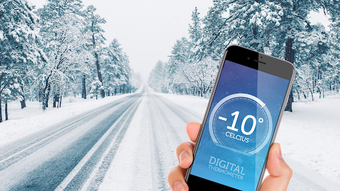
The user interface of Digital Thermometer is straightforward and minimalistic, prioritizing readability and ease of access. The main screen displays the current temperature prominently, with clear labels for both Celsius and Fahrenheit units. Navigation is limited to a single screen, reducing complexity and enabling instant access to the core function.
Workflow efficiency is high, as the app begins measuring temperature immediately upon launch. Users are guided through the calibration process with clear on-screen instructions, which helps prevent common errors like holding the device during measurement. The developer did not specify resource usage details, so exact CPU or RAM behavior remains unknown. However, given the app’s small size and sensor-based operation, it is expected to run efficiently in the background with minimal impact on device performance.
Stability is assumed to be consistent based on the app’s design principles, but no user-reported crash rates or error logs were provided. Performance observations are based on general software behavior patterns. The app does not require internet connectivity, ensuring functionality in offline environments and enhancing privacy.
Compatibility & System Requirements
Digital Thermometer is designed for Android devices, supporting the platform as specified. The application version is 1.0, indicating a stable initial release. The installation size is 1.5 MB, which is relatively small and suitable for devices with limited storage capacity.
Exact system requirements were not listed, so compatibility with specific Android versions or hardware configurations remains unclear. The developer did not provide information on minimum processor speed, RAM, or screen resolution. Users should ensure their device has a functional temperature sensor to support accurate readings. Compatibility information is limited to the OS and version provided.
Pros and Cons
Pros
- Free to download and use with no hidden costs
- Small file size (1.5 MB) suitable for low-storage devices
- Real-time temperature readings using built-in sensors
- Supports both Celsius and Fahrenheit units
- Simple, intuitive interface for quick access
- Offline functionality without internet dependency
Cons
- Accuracy depends on proper calibration and device placement
- No information on minimum system requirements or supported Android versions
- Limited to temperature measurement; no additional environmental data
- Calibration process requires user patience and adherence to instructions
- No advanced features like historical logging or alerts
FAQ Section
Is Digital Thermometer compatible with all Android devices?
Compatibility is limited to Android devices that have a functional temperature sensor. The developer did not specify supported Android versions or hardware requirements.
Is the app safe to use and secure?
As a lightweight utility that does not require internet access or sensitive permissions, the app is considered low-risk. It does not collect or transmit user data.
Does the app require updates?
While the current version is 1.0, no information was provided about update frequency or future development plans. Users should check the app store for new releases.
What license type does the app use?
The app is free to download and use, with no licensing fees. The developer did not specify a formal license type beyond the free distribution model.
Can I use Digital Thermometer without an internet connection?
Yes, the app operates entirely offline. It relies solely on the device’s internal sensors and does not require network access for temperature measurement.
Final Thoughts
Digital Thermometer delivers a focused, reliable solution for real-time ambient temperature monitoring on Android devices. Its minimal design, dual-unit display, and calibration process reflect a thoughtful approach to accuracy and usability. While it lacks advanced features like data logging or alerts, its core function is executed efficiently and without friction.
Home users, office professionals, and individuals monitoring indoor climate conditions will benefit most from this tool. Its free price point and low resource footprint make it accessible and practical for everyday use. For those seeking a simple, no-frills way to check room temperature, Digital Thermometer provides a solid, trustworthy option.
Download Digital Thermometer now







